What’s new · 2026 recap
Real mailboxes, SMTP rotation, list cleaning inside your account, and follow-ups that leave the same way your first email did. Here’s what we built this year, and why it matters if you haven’t logged in for a while.
🎉 New Year offer for returning customers
Sent with us before? Come back for 30% off any plan with code FRIDAY30, until 1 January 2027. See the offer ↓
If you used to send with us and drifted off, no hard feelings. Volumes drop. A cheaper tool looks good for a quarter. Then Gmail and Yahoo tighten their bulk sender rules and suddenly nothing lands where it used to.
We spent 2026 on that last part. Not a rebrand and not a chatbot. Plumbing. More ways for a campaign to leave your account, cleaner lists before you hit send, and follow-ups that go out through the same mailboxes and servers as the first email.
Below is every change, one per section, with the real numbers. Skim the box first if you’re short on time.
⚡ 2026 at a glance
- April: List cleaning inside your account
- May: Drag-and-drop designer with AI variation, plus post-click tracking
- July: Mailboxes, multiple SMTP connections, managed servers, bounce mailboxes
- August: Any mailbox you own, and attachments on campaigns
- Autumn: Lead Finder for B2B contacts
- End of October: Follow-ups get the same sending choices, thread replies and sending windows
Why we built all this
One road to the inbox is a weak place to put a campaign
Most bulk tools push every email you send down one shared path. When that path has a rough week (an IP gets listed, a provider throttles the range, another sender on the same servers burns its reputation) your campaign has a rough week too. You usually can’t see it happening, and you definitely can’t route around it.
There’s a line in our new in-app tour that sums up the whole year:
Don’t put a campaign on a single road to the inbox.
Everything below either adds another road, keeps the roads clean, or makes better use of them.
New in July, extended in August
Send through real mailboxes
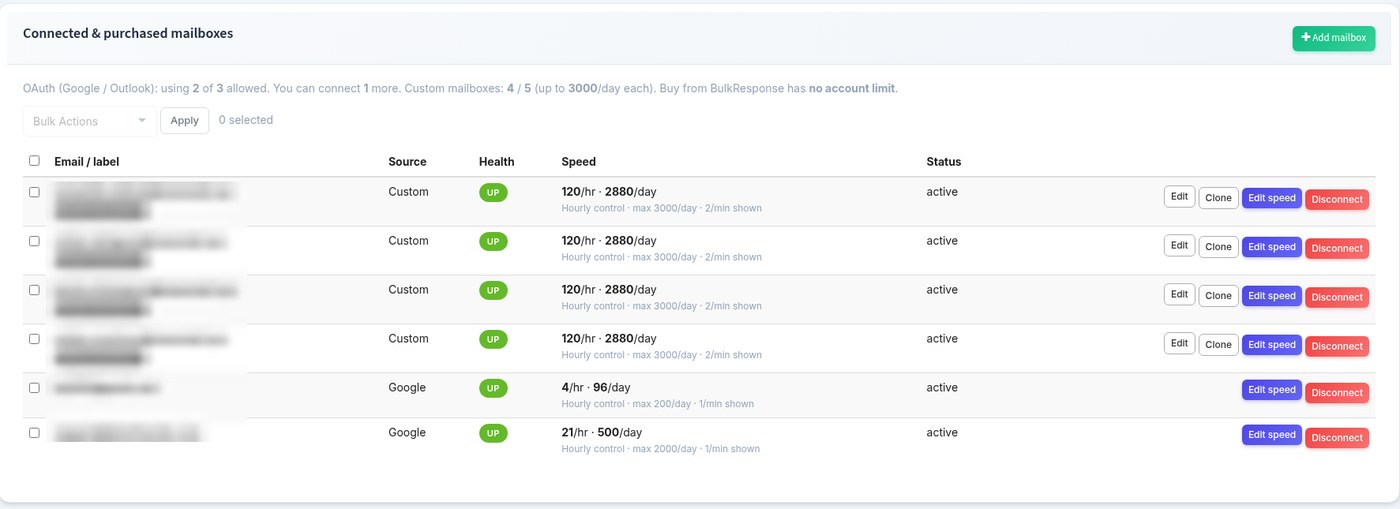
You can now send campaigns through actual inboxes, not only through our servers. There are three ways to bring one in.
- Connect Google. You sign in with Google and we never see or store the password. Free Gmail tops out around 100 emails a day. Google Workspace allows about 1,000.
- Connect Outlook the same way, when it’s switched on for your account. Up to about 1,000 a day.
- Buy mailboxes from us. $3 per mailbox per month, up to 2,000 emails a day each, set up on pre-warmed domains and usually ready within 24 hours. You can order up to 100 at once.
- Connect any other mailbox you already own over SMTP. Those are capped at 3,000 a day.
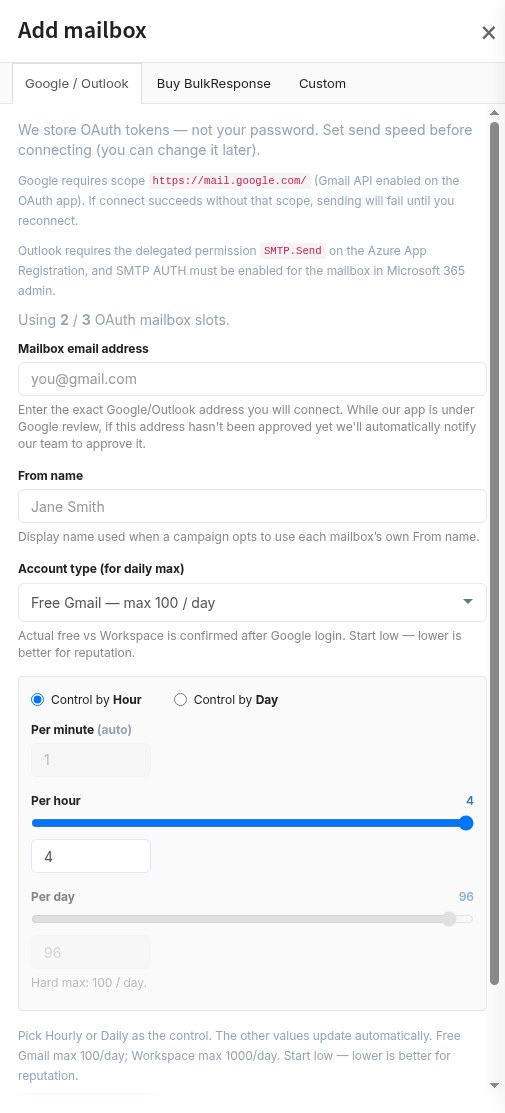
| Mailbox type | Roughly per day | How you add it |
|---|---|---|
| Free Gmail | 100 | Sign in with Google |
| Google Workspace | 1,000 | Sign in with Google |
| Outlook | 1,000 | Sign in with Microsoft (when enabled) |
| Bought from BulkResponse | 2,000 | $3/month each, up to 100 per order |
| Any other mailbox | 3,000 (cap) | SMTP login, tested before saving |
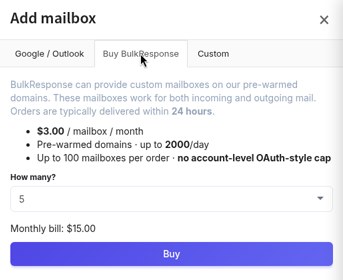
The detail that matters most for deliverability: when a campaign has several mailboxes selected, the From address follows whichever mailbox sends each message. So the name in the inbox and the account that actually sent it always match.
💡 Quick math
Ten Workspace inboxes give you around 10,000 sends a day. Ten mailboxes bought from us give you around 20,000, for $30 a month on top of your plan.
🎁 Want to try mailbox rotation on your own list? Our New Year offer takes 30% off your first plan. Grab the code →
New in July
Rotate across several SMTP servers
A single campaign can now rotate across as many SMTP connections as you give it. Each one keeps its own From address and its own speed limit, per minute, per hour and per day. If a connection keeps failing, the send pauses and you can see exactly which server caused it, instead of finding out from a bounce report two days later.
You can get those connections two ways:
- Add your own. Host, login, encryption, and a test send before you save, so a typo doesn’t break a live campaign.
- Buy managed servers in the app. Our team sets each one up after checkout and it appears as another connection your campaigns can rotate through.
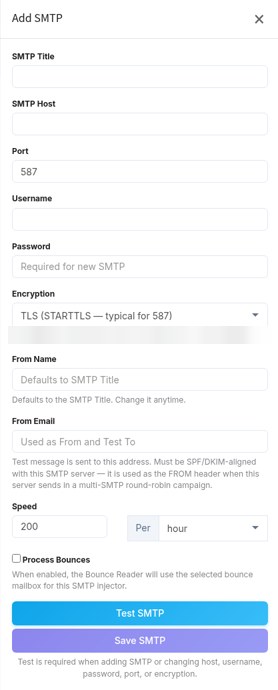
$20
per server, per month
5,000
emails a day per server
100,000
a day with 20 servers
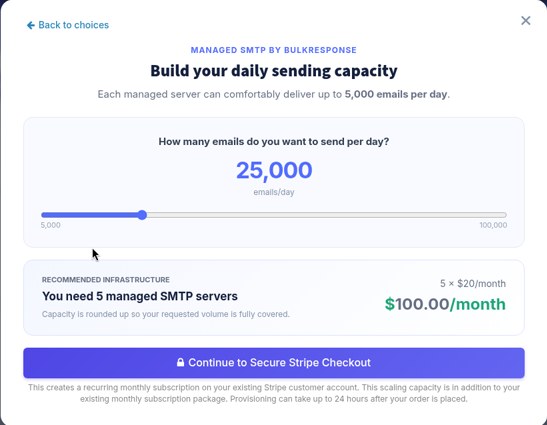
Need more than that, or your own dedicated IPs? That’s still a conversation with our team, priced to your daily volume. Tell us your number and we’ll quote it.
New in July
One account, three ways out
Put the last two sections together and every campaign now has a choice of exit:
| Path | What it means |
|---|---|
| BulkResponse sending | Our own infrastructure. Nothing to set up, same as always. |
| SMTP | One or more servers: yours, ours, or a mix, rotated on the send. |
| Mailboxes | Connected or bought inboxes, rotated on the send. |
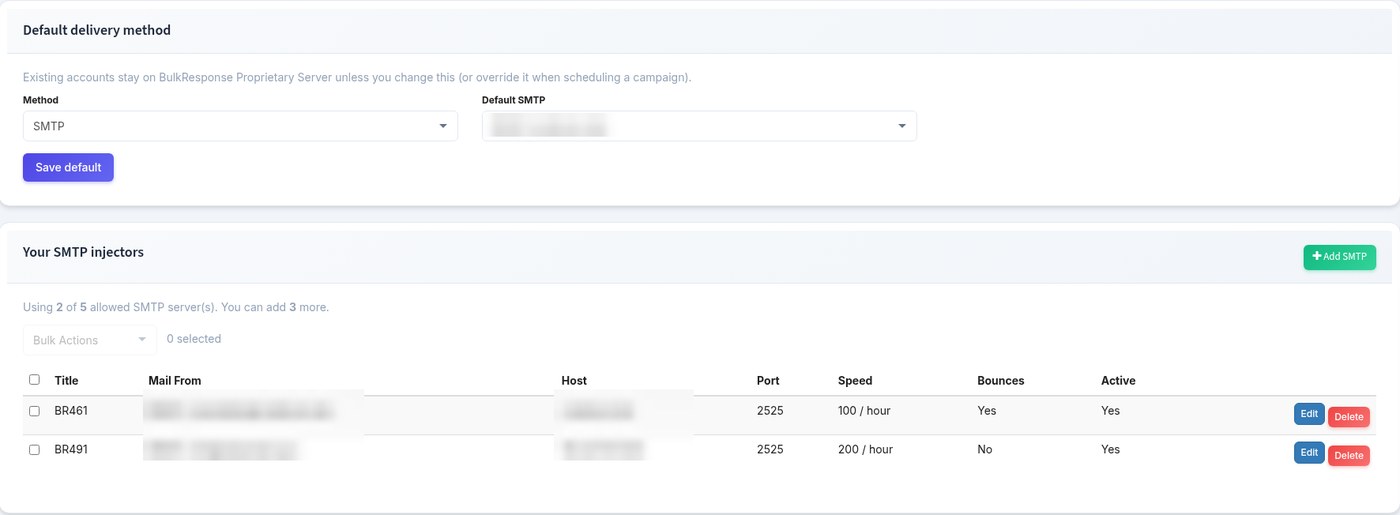
Your account has a default path and any campaign can override it. A single send uses one path, then rotates inside it. Simple to reason about, and easy to change when one route starts misbehaving.
New in April
Clean your list without leaving your account
More roads only help if the list you’re sending to is clean. Old lists rot quietly. People change jobs, companies fold, inboxes get abandoned. Mail enough of those and mailbox providers start trusting you less on every road.
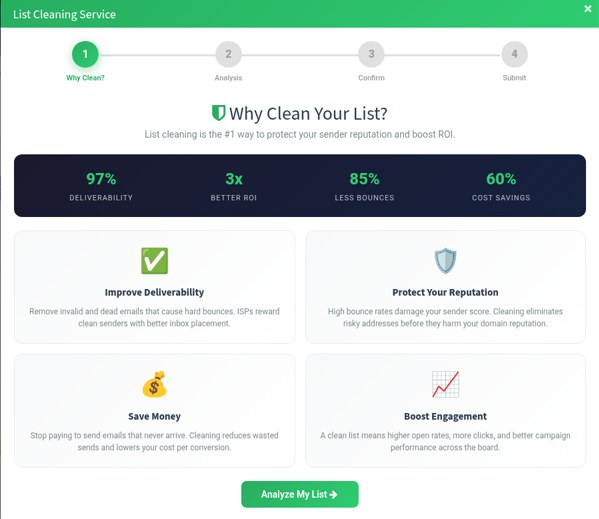
So list cleaning now lives inside the account. No exporting a CSV, uploading it to some other site and importing it back.
- One credit cleans one address.
- The list is locked while it’s being cleaned, so nobody on your team can mail it halfway through.
- Unused cleaning credits stay on your account. They’re separate from your monthly sending credits.
| Cleaning pack | Price (one time) |
|---|---|
| 50,000 addresses | $24.50 |
| 100,000 addresses | $49.50 |
| 300,000 addresses | $99.50 |
| 1,000,000 addresses | $199.50 |
| 2,000,000 addresses | $349.50 |
📋 Planning tip
When you start a clean, the wizard assumes around 15% of an older list is invalid or risky. Treat that as a rough planning figure, not a promise. Some lists come back much better, some worse.
🎁 Got an old list sitting around? Clean it, then mail it, with the New Year offer for returning customers. See what’s included →
New in July
Bounce mailboxes that tell temporary from permanent
You can connect up to 10 mailboxes whose only job is to collect bounces, and point each campaign at the one that should catch its returns.
The useful bit is how bounces get sorted. Hard bounces are marked on the contact so they don’t get mailed again. Soft bounces and delay notices are counted separately, so a mailbox that was full on a Tuesday isn’t treated like an address that no longer exists. Your list stays honest, and so do your stats.

New in May
A visual designer, and AI that varies your message
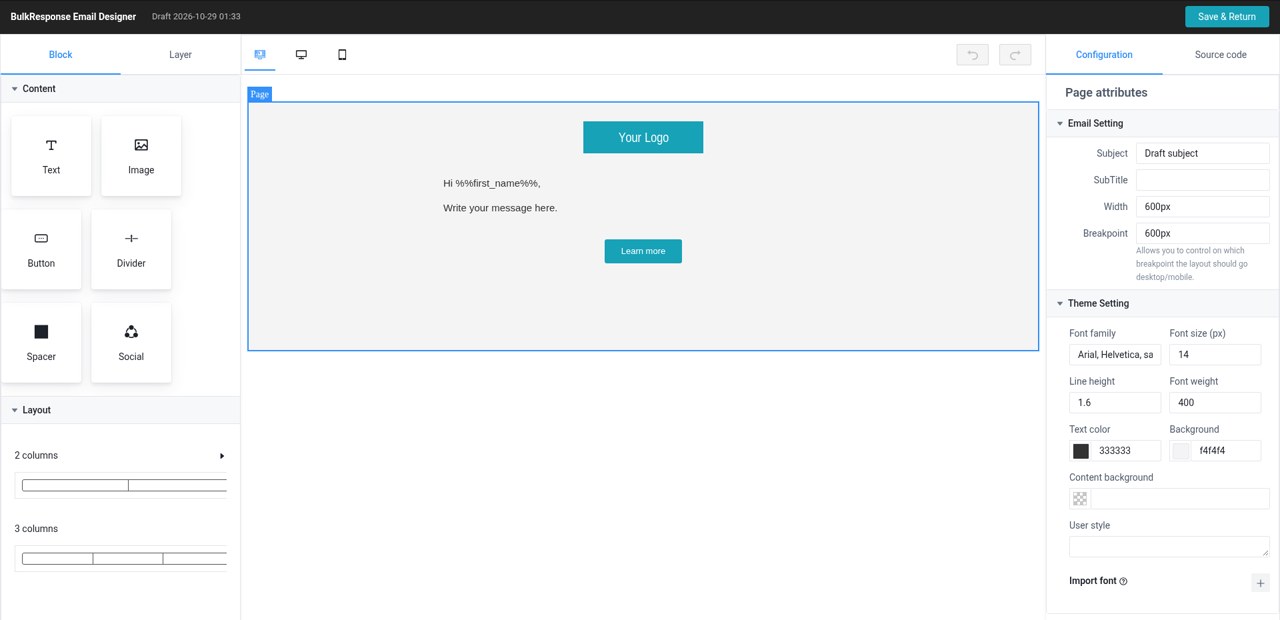
New campaigns now open in a drag-and-drop designer: text, images, buttons, columns, and the rest. If you have older campaigns you’re happy with, they can stay on the previous editor. There’s also a new set of B2B outreach templates to start from.
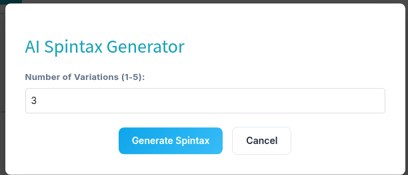
Then there’s the AI part, and we’ll be precise about what it does. It writes alternative versions of your subject line and body. You pick the ones you like, and each recipient can get a different version. It doesn’t write your campaign for you, and there’s no chatbot.
Why bother? Fifty thousand identical emails look like what they are. Five approved variations of the same message don’t.
New in May
See what people did after they clicked
Add an optional snippet to your website and BulkResponse records visits that came from a campaign link. Your campaign stats can then show the country, the page they landed on and what they did next. Traffic that didn’t come from a campaign is ignored.
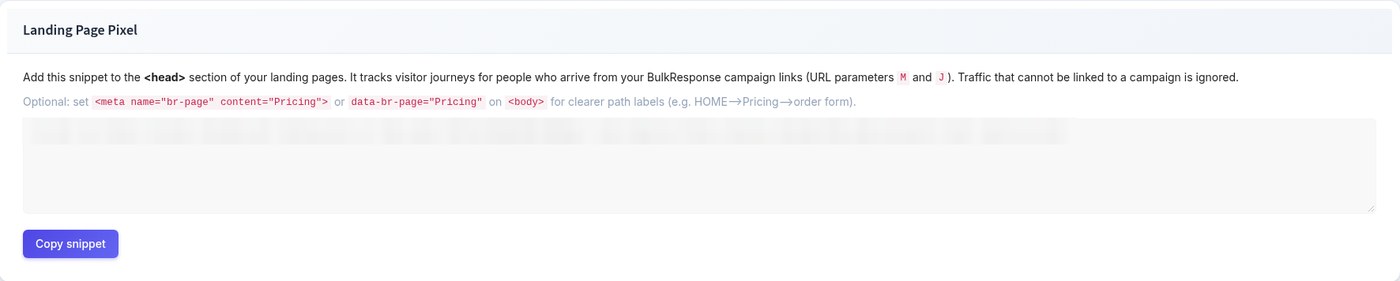
It isn’t trying to replace your analytics tool. It answers one question your analytics tool usually can’t: what did the people from this campaign actually do?
New in August
Attachments on campaigns
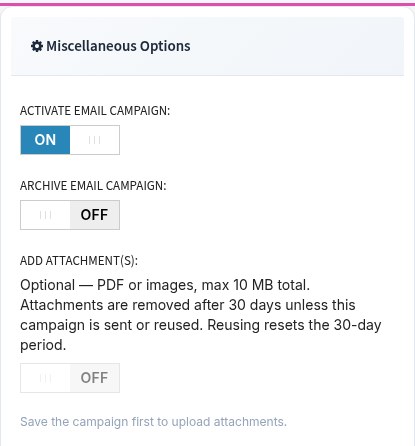
A campaign can now carry up to three PDFs or images, 10 MB in total, and you choose on each send whether they go out. Handy for price sheets, one-page case studies and event flyers.
New this autumn
Lead Finder: start the list inside your account
Need a list before you need a campaign? Lead Finder lets you search B2B contacts without leaving BulkResponse. Filter by:
| Filter | Examples |
|---|---|
| Location | Country, state, city, ZIP |
| Company | Industry, company name, company size, revenue |
| Person | Job title |
| Must have | A phone number, a website, or funding |
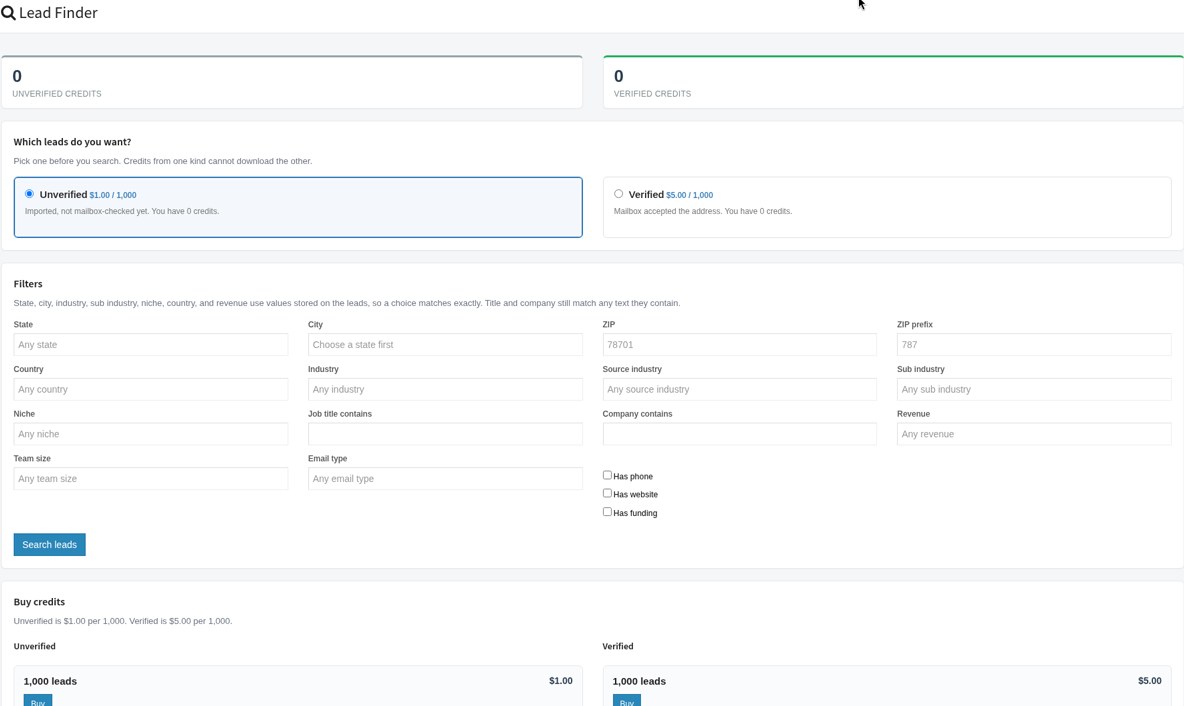
There are two prices: unverified contacts, and verified ones where the mailbox accepted the address when it was checked. You see both prices per 1,000 in the app before you buy, and you’re never charged twice for a contact you already bought.
After that you can download the file, or drop it straight onto a mailing list, clean it, and mail it, all in the same account. Lead Finder is part of web accounts. SMTP relay logins don’t include it.
🎁 The New Year offer applies to every Web App plan, so Lead Finder and the new follow-ups come with it. Claim it before 1 January 2027 →
Just shipped, end of October
Follow-ups now leave the same way your first email did
This is the newest piece, and it ties the whole year together. Autoresponders (your second and third emails) can now use the same delivery choices as a campaign: BulkResponse sending, one or more SMTP servers, or one or more mailboxes, plus a bounce mailbox.
Two extras came with it:
- Thread continuity. Switch it on and the follow-up goes out as a reply in the same thread, so the recipient sees the conversation, not a stranger’s second email. Leave it off and the follow-up uses its own subject.
- A sending window. Pick the days, the hours and a timezone. Anything that comes due outside the window waits until it opens. If you know the recipient’s timezone, you can use theirs instead.
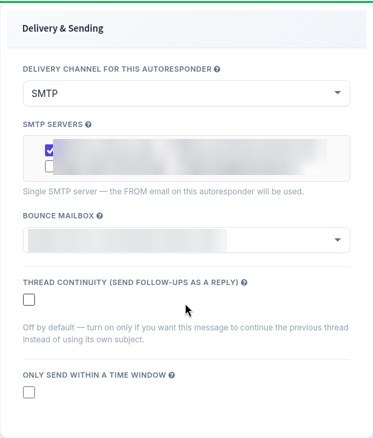
First email from a real mailbox. Second email from the same mailbox, in the same thread, at 10am their time. That’s what a person would do.
Still true
What hasn’t changed
- We’ve been doing this since 2008. Same company, still based in Hawthorne, California.
- Single opt-in is still allowed, and cold B2B outreach is still a normal use of the platform, inside our sending policies.
- We still help with DNS. Your SPF record is one line,
v=spf1 include:spf.bulkresponse.com -all, and our team works through DKIM with you when you add a domain. - There’s still no free test account. You start on a paid plan and can ask to cancel if it isn’t a fit. We’d rather be upfront about that than hide it in the small print.
🎁 Welcome back offer
New Year offer: come back and try the new BulkResponse
From Black Friday through the New Year, past customers get 30% off any plan. Use code FRIDAY30 at checkout before 1 January 2027.
Still have your old login? Sign in and pick a plan. Lost it? Get in touch and we’ll sort it out.
Questions about any of this, or want us to look at your setup before you send again? Call +1 (628) 262 3981 or email sales@bulkresponse.com. A person will answer.
The BulkResponse team