

Bulk email marketing features: everything in the Web App
Write the message, choose who gets it, choose how it is delivered, schedule it, and see what happened. Here is everything the bulk email marketing platform does, in the order you will use it.
The BulkResponse web platform covers the whole send: write the message, choose who gets it, choose how it is delivered, schedule it, and see what happened. It includes a drag-and-drop designer, AI spin variation, audience filters, autoresponders and triggers, three delivery paths, and live campaign stats.
Campaigns
Write it, preview it, put it on the calendar.
- Subject up to 5,000 characters, HTML body and a separate plain-text body
- Start from templates in 12 categories, including B2B Outreach
- Attach up to three PDF or image files, 10 MB in total
- Spam-keyword check before the real send
- Calendar view of campaigns by day
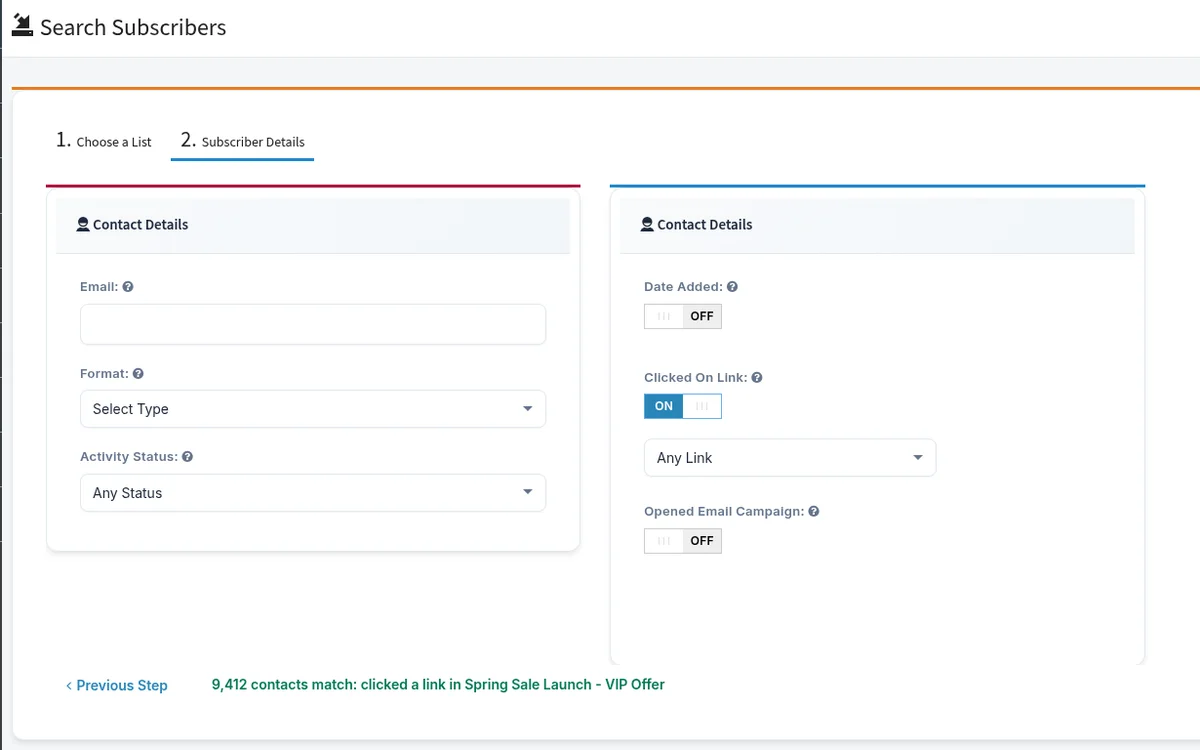
Who receives a send
Mail the whole list, or only the people who clicked last time.
- Select more than one list
- Filter by part of the email address or domain
- Confirmed, unconfirmed or both; date added before, after or between
- Clicked a specific link, or did not; opened, or did not
- The job stops before it starts if your credits cannot cover it
Send control
Pause a send that is already running.
- From name, From email and Reply-To on each send
- Send now or pick a date and time
- Open and click tracking on or off per send
- Queue status: not sent, in progress, completed, paused
- Pause, resume, resend or delete jobs
Personalization
Every merge field a sales email needs.
- First name, last name, company, city, state, country and more
- Custom fields from the selected list drop into subject and body
- Unsubscribe, confirm link, web version and list archive tags
- Merge tags inside button text and button links
AI message variation
Stop sending the same email 50,000 times.
- One to five spin variations for subject, HTML body and plain-text body
- Regenerate, then apply only the versions you approve
- Available in campaigns, autoresponders and the designer
- Each recipient gets one branch of the message
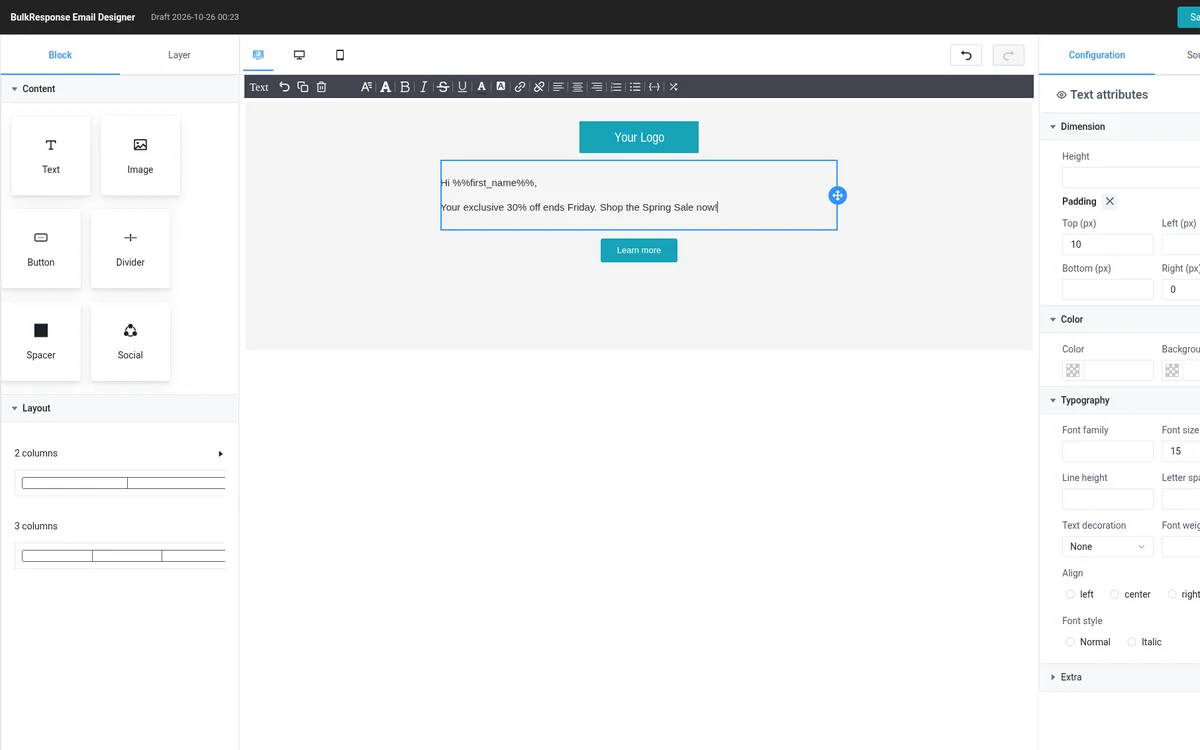
Email design
Drag, drop, send. Or hand-code it.
- Blocks: text, image, button, divider, spacer, social, two and three columns
- Image upload, rich text, links and merge tags
- Saved templates and a starter layout
- Code editor with a separate plain-text version
Lists and subscribers
Organize millions of contacts.
- Categories with a color and an icon; merge lists
- Statuses: confirmed, unconfirmed, pending, bounced, unsubscribed, suppressed
- Find openers, clickers, never-opened and never-clicked
- Eight custom field types with required flags
- Copy, export, or remove by criteria or file
Import and migration
Move the list. Import it. Mail it.
- Upload a file or paste addresses
- Header row, separator and quote character in the wizard
- Fast path for large files and an import report
- Checklist for Mailchimp, AWeber, GetResponse, iContact and Constant Contact
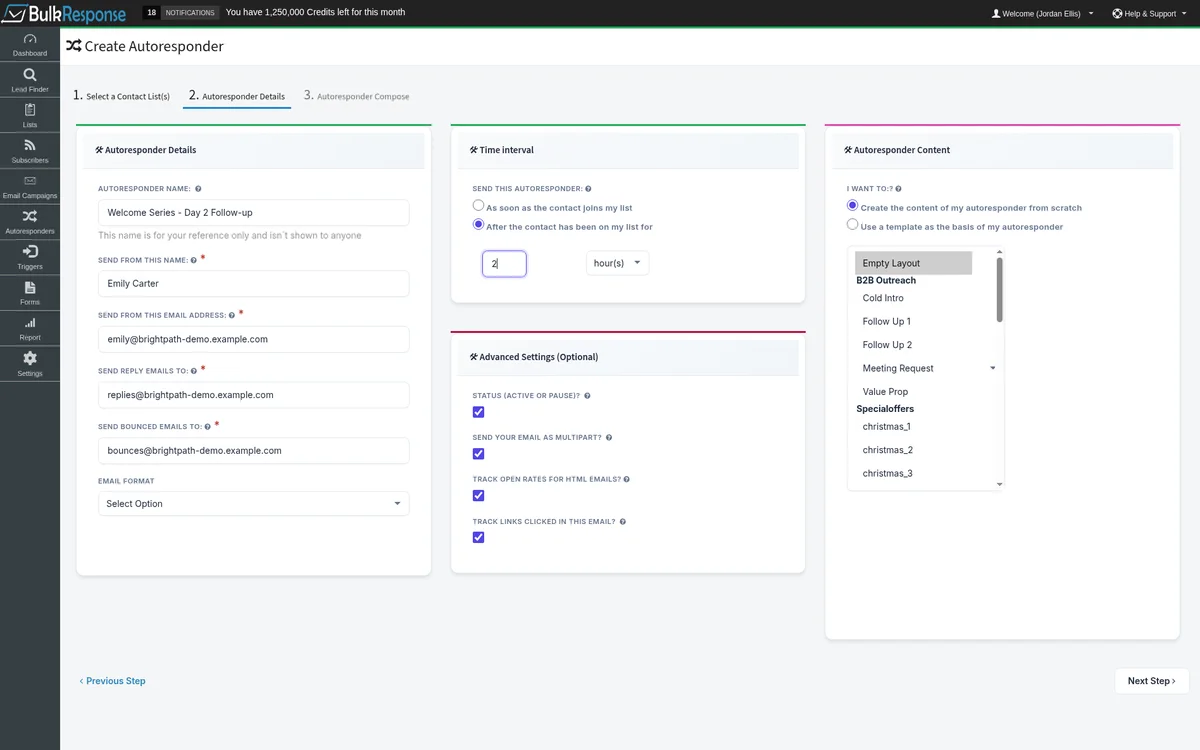
Autoresponders and triggers
Day-zero mail, then a follow-up after N days.
- Send on join or after hours, days, weeks, months or years
- Slice by clicked, opened, confirm status or format
- Triggers on open, click, join, unsubscribe or a date
- Actions: send an email, add to a list, remove from a list
Signup forms
Opt-in capture when you need it.
- About 29 looks
- Show or hide standard and custom fields; CAPTCHA on or off
- Edit the HTML and copy the embed code
- Hit counter for form views
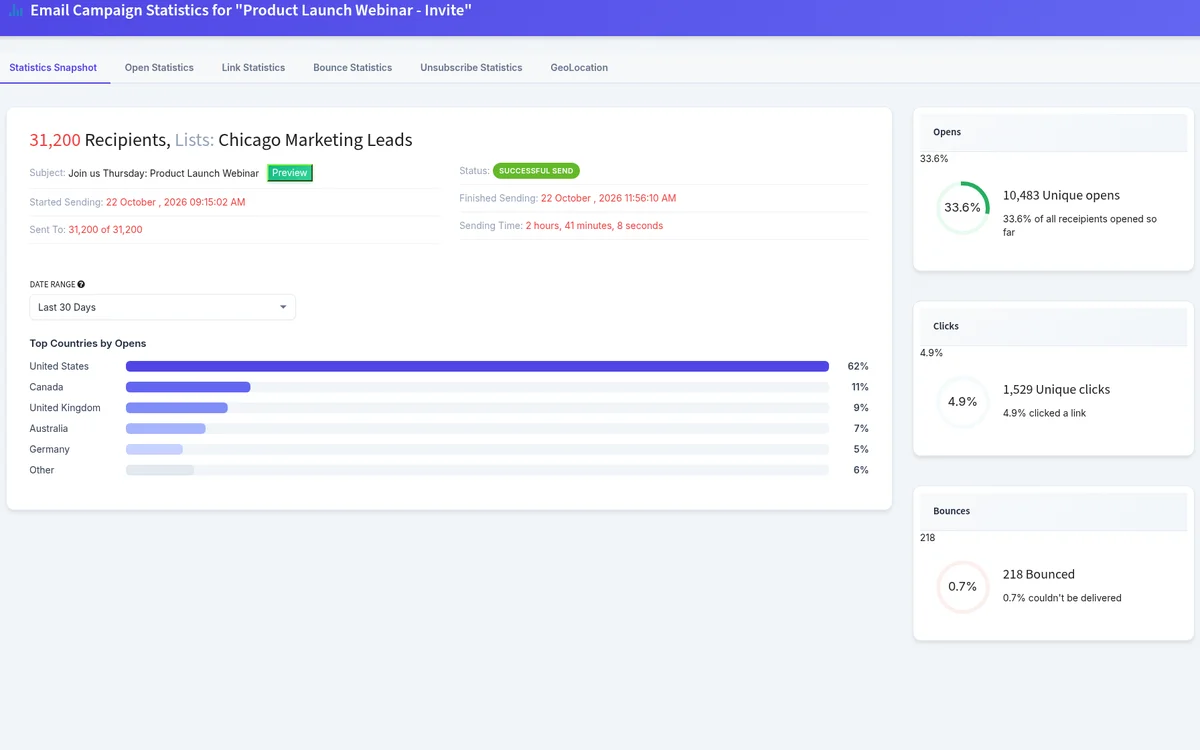
Reporting
Know what happened while it is still happening.
- Dashboard: lists, active subscribers, opens and clicks this month
- Campaign stats while the job is still sending
- Soft and hard bounces, unsubscribes and the most popular link
- Country map for opens, clicks and unsubscribes
- Exports for opens, clicks, bounces, unsubscribes and complaints
Landing pixel
What people did on your site after the click.
- Optional embed script on your site
- Attributes visits that came from a campaign link
- Pixel view in campaign stats: country, path, intent, activity
Delivery paths
Choose how mail leaves your account.
- BulkResponse infrastructure by default
- Your SMTP servers or managed servers at $20 a month
- Gmail, Outlook, purchased or custom mailboxes, rotated on one campaign
Domains, bounces and suppression
Authenticate, track and keep the list honest.
- Sending domains with SPF status; DKIM published with our help
- Tracking on your own hostname over HTTPS
- Up to 10 bounce mailboxes
- Suppress emails, domains or files; universal suppression lists
Account, billing and API
The practical bits.
- Credit display: monthly, used and remaining
- Invoices, coupons and a Stripe portal to change your card
- API for lists and list categories
- Video tutorials inside the app
A look inside the app
Real screens from the current BulkResponse app.
Which product includes which feature?
| Feature | Web App | SMTP Relay |
|---|---|---|
| Campaigns, designer, templates | Yes | No |
| Lists, filters, custom fields | Yes | No |
| Autoresponders and triggers | Yes | No |
| AI spin variation | Yes | No |
| Mailbox and SMTP rotation | Yes | No |
| Lead Finder | Pay per lead | No |
| List cleaning | Packs from 50,000 | No |
| SMTP credentials and credit pool | Uses the Web App | Yes |
| Sending domains, SPF, bounce history | Yes | Yes |