PRODUCT LAUNCH · NOVEMBER 2026
Introducing the BulkResponse API: An Email Marketing API for Python and Claude
Automate bulk email, list sync and campaigns with a REST API, a Python client, or a Claude skill
By the BulkResponse Team · 8 minute read · Docs: app.bulkresponse.com/web/api/docs
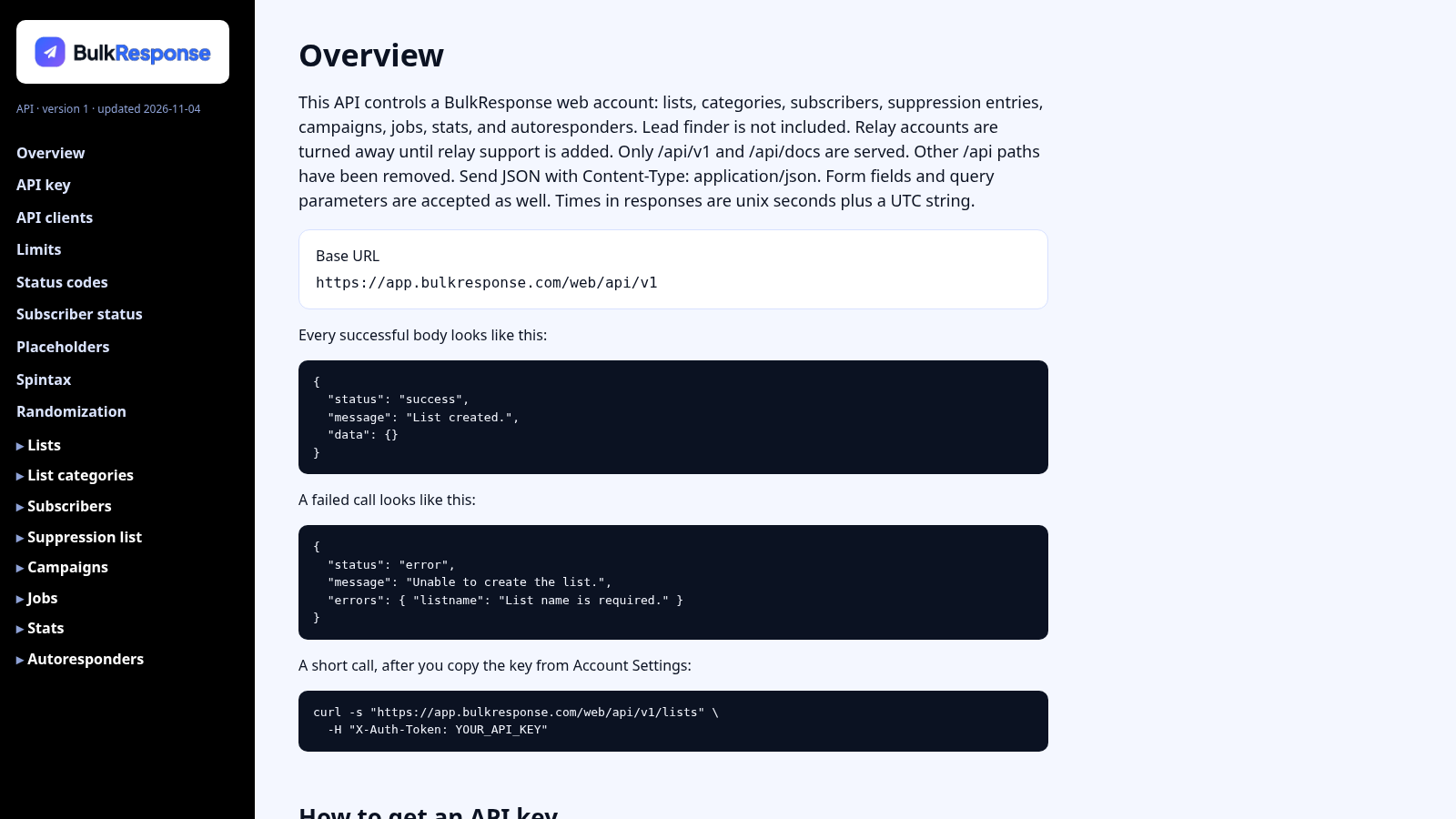
Your email marketing shouldn’t stop at the edge of the BulkResponse dashboard. Today we’re launching the BulkResponse Web Account API, a JSON REST email marketing API that gives your apps, scripts and integrations full access to your lists, subscribers, campaigns, autoresponders and stats. Sync contacts the moment they sign up, send personalised campaigns with spintax, and run email automations from your own code, all on top of the same bulk email features you already use. We’re also releasing two ready-made clients: a free Python client, and a Claude skill that lets you run your BulkResponse account just by asking Claude.
⚡ Key highlights
- Full account access: lists, subscribers, suppressions, campaigns, jobs, stats and autoresponders.
- Bulk import: add up to 100 contacts in one request, with a result for each one.
- Personalisation everywhere: 13 built-in tags plus your custom fields, in subjects and bodies.
- Spintax: a different variation for every recipient, chosen when the email is sent.
- Send, schedule, pause and resume through BulkResponse delivery, your SMTP or a connected mailbox.
- Two free clients: a Python client with no dependencies, and a Claude skill for plain-language control.
- 30+
endpoints - 100
contacts per bulk call - 13
personalisation tags - 0
dependencies in the Python client
📑 In this article
- Why use an email marketing API?
- What the bulk email API can do
- Personalisation placeholders and spintax
- Getting started with the API in three steps
- Choose your way in: REST API, Python or Claude
- The Python client
- The Claude skill: run BulkResponse by asking Claude
- Good to know: limits and rules
- FAQ
- Start building today
1. Why use an email marketing API?
Most of our customers don’t collect contacts in one place. Leads arrive from website forms, checkout pages, CRMs, webinars and spreadsheets. Copying them into BulkResponse by hand is slow and error-prone, and it means your welcome emails go out late or not at all. An API closes that gap: every new contact lands on the right list automatically.
With the API you can:
- Sync subscribers automatically from your website, CRM or store the moment someone signs up.
- Create and send campaigns from your own systems, for example a weekly newsletter generated from your blog.
- Start autoresponder series the moment a new customer joins a list.
- Pull stats into your own dashboards: opens, clicks, bounces and unsubscribes for every send.
- Keep your lists clean by managing suppressions and unsubscribes in code, alongside our email list cleaning service.
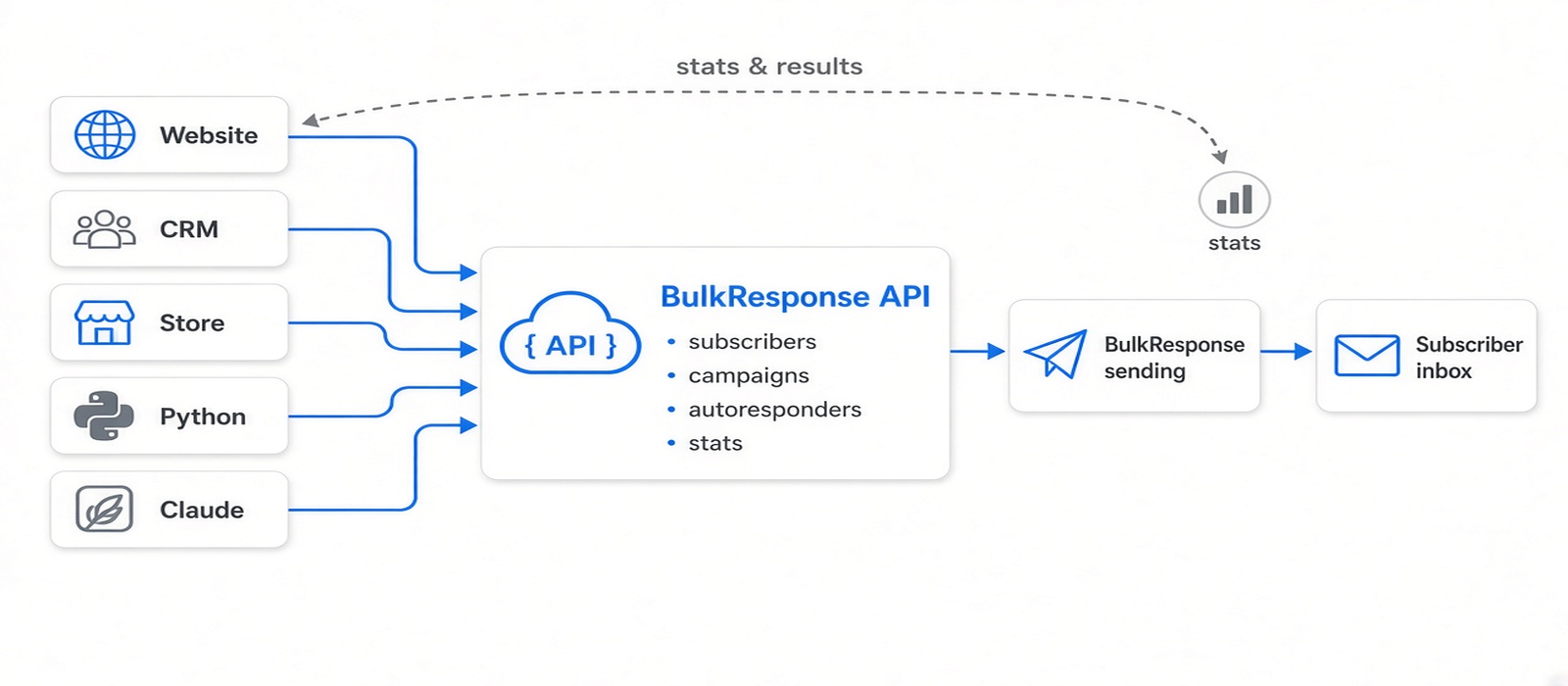
Your tools talk to the API. BulkResponse handles the sending.
2. What the bulk email API can do
The API is a simple JSON REST API. Every request is authenticated with your personal API key, and every response has the same shape, {"status": "success", "message": "...", "data": {...}}, so it’s easy to use from any language. Campaigns can go out through BulkResponse delivery, your own SMTP relay, or a connected mailbox or SMTP integration.
| Area | What you can do |
|---|---|
| 📋 Lists & categories | Create and update lists (from name, reply-to, bounce address, single or double opt-in) and organise them into categories. |
| 👥 Subscribers | Add, update, move, unsubscribe and delete subscribers, with name, address, phone numbers and custom fields. Bulk add imports up to 100 contacts per request, with a result for each one. |
| 🚫 Suppressions | Block emails or whole domains on one list or across your whole account, up to 1,000 entries per request. |
| ✉️ Campaigns | Create HTML and plain-text campaigns, then send now or schedule, and pause or resume a send. You can choose BulkResponse delivery, your own SMTP, or a connected mailbox. |
| ⚙️ Jobs | See every queued, running, scheduled, paused and completed send, with progress counts. |
| 📊 Stats | Account totals, results for each campaign send, live subscriber counts per list, and autoresponder stats (sent, opens, clicks, bounces, unsubscribes and rates). |
| 🔁 Autoresponders | Build follow-up series that go out a set number of hours or days after someone subscribes. Activate, pause, edit or delete them at any time. |
💡 Tip: duplicates and bad addresses are handled for you
Adding someone who is already on a list returns their existing record instead of creating a copy. Bounced, suppressed and invalid addresses are blocked automatically, exactly as they are in a normal import.
3. Personalisation placeholders and spintax
Placeholders: every email feels personal
Campaigns and autoresponders support personalisation tags in the subject line, HTML and plain text. Each subscriber sees their own details:
%%first_name%% %%last_name%% %%email%% %%city%%
%%state%% %%zip%% %%country%% %%address1%%
%%address2%% %%cellphone%% %%cellcountrycode%%
%%homephone%% %%workphone%%
Custom fields defined on your list work too. A field named Company becomes %%Company%%.
Spintax: a different version for every recipient
Sending the exact same text to thousands of people is a weak spot for deliverability. With spintax, BulkResponse picks one option per recipient when the email is sent: Want help writing variations? Our AI Spintax Generator creates them for you.
Subject: {{RANDOM |Quick question|A short note|Following up}}, %%first_name%%

{{RANDOM |Hi|Hello|Hey}} %%first_name%%,

{{RANDOM |We put together|Here is}} an update for %%city%%.
Ayesha · Lahore
Quick question, Ayesha
Hi Ayesha, we put together an update for Lahore.
Bilal · Karachi
Following up, Bilal
Hey Bilal, here is an update for Karachi.
Sara · Islamabad
A short note, Sara
Hello Sara, we put together an update for Islamabad.
One template, three different inboxes: spintax and placeholders working together.
✏️ Spintax rules of thumb
- A block starts with
{{RANDOM |. Note the space before the first bar. - Placeholders inside an option are filled after the option is chosen.
- Put blocks next to each other. Don’t nest one block inside another.
4. Getting started with the API in three steps
-
Get your API key
Account Settings → API → Generate API key (or Copy).
-
Note the base URL
https://app.bulkresponse.com/web/api/v1 -
Make your first call
Send the key in the X-Auth-Token header. That’s it.
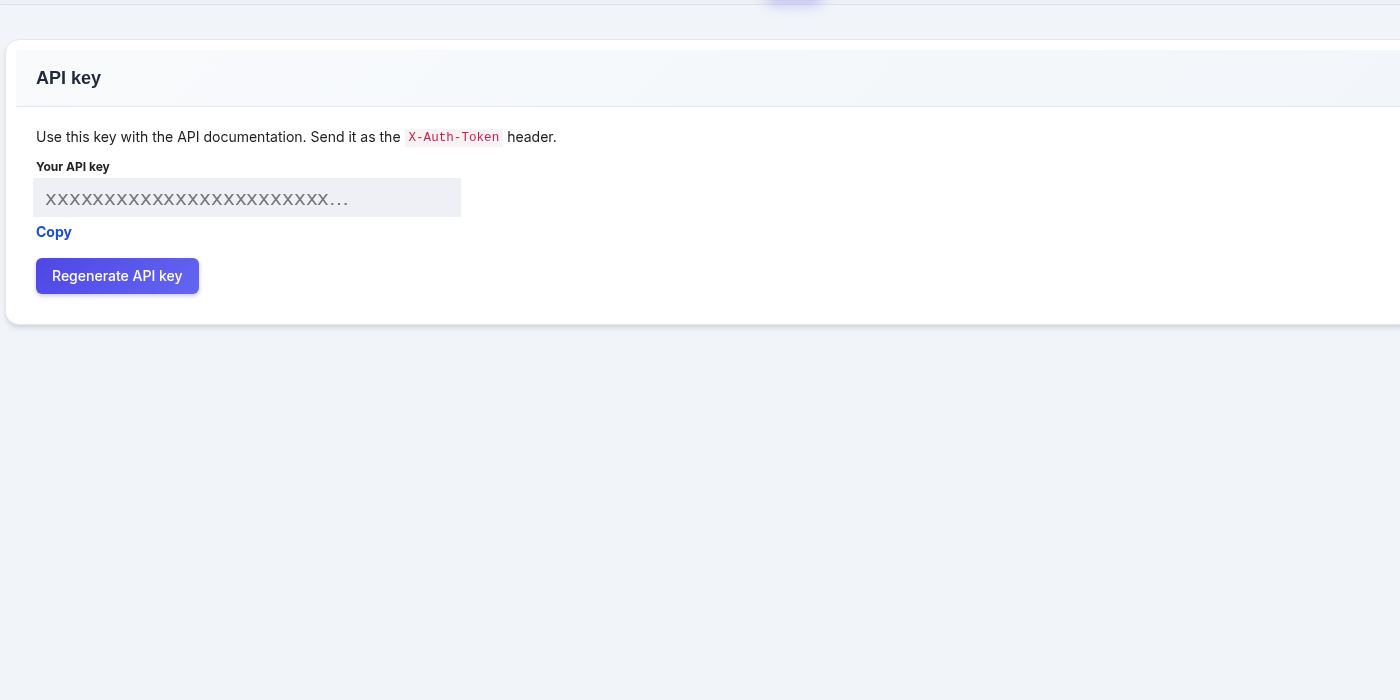
Your API key lives under Account Settings → API.
Your first call fetches your account summary:
curl -s "https://app.bulkresponse.com/web/api/v1/stats/account" \
  -H "X-Auth-Token: YOUR_API_KEY"
Adding a subscriber is just as easy:
curl -s -X POST "https://app.bulkresponse.com/web/api/v1/subscribers" \
  -H "X-Auth-Token: YOUR_API_KEY" \
  -H "Content-Type: application/json" \
  -d '{"list_id": 123, "email": "ayesha@example.com",
       "first_name": "Ayesha", "city": "Lahore"}'
Full reference, with every endpoint, every field and a copy-ready example for each: https://app.bulkresponse.com/web/api/docs
🔒 Keep your key secret
Anyone with your API key can manage your lists and send email from your account. Never put it in a web page, in browser JavaScript, or in code you share. If it ever leaks, click Regenerate API key and the old key stops working immediately.
5. Choose your way in: REST API, Python or Claude
| Direct API | Python client | Claude skill | |
|---|---|---|---|
| Best for | Developers using any language | Scripts, cron jobs, data teams | Marketers and anyone who’d rather ask than code |
| You write | HTTP requests | A few lines of Python | Plain-language requests |
| Setup time | Minutes | 2 minutes (unzip, set key) | 3 minutes (install skill, set key) |
| Handles paging, retries, errors | You do | ✅ Built in | ✅ Built in |
| Writes campaign copy for you | — | — | ✅ With placeholders and spintax |
Both clients can be downloaded from the API clients section of the API docs portal.
6. The Python client for the BulkResponse API
A single file, bulkresponse_api.py, covering every endpoint. It uses only Python’s standard library, so there’s nothing to pip install (Python 3.8 or newer). It handles authentication, pagination and errors, and if you reach the hourly limit it waits and retries automatically.
Set it up
- Download bulkresponse-python-client.zip from the API docs portal and unzip it.
- Store your key and base URL as environment variables. On macOS or Linux:
export BULKRESPONSE_API_KEY="paste-your-key-here"
export BULKRESPONSE_API_URL="https://app.bulkresponse.com/web/api/v1"
On Windows PowerShell, use setx BULKRESPONSE_API_KEY "..." and setx BULKRESPONSE_API_URL "...", then open a new window. To check it works, run python3 bulkresponse_api.py account.
Use it
from bulkresponse_api import BulkResponseClient, spintax

br = BulkResponseClient()  # reads your key and URL

# Import contacts, 100 per request
br.add_subscribers_bulk(123, [
    {"email": "bilal@example.com", "first_name": "Bilal"},
    {"email": "sara@example.com", "first_name": "Sara"},
])

# Personalised campaign with spintax, sent and tracked
camp = br.create_campaign(
    name="Winter sale",
    subject=spintax("Quick question", "A short note") + ", %%first_name%%",
    html="<p>{{RANDOM |Hi|Hello}} %%first_name%%, our winter sale is live.</p>")
job = br.send_campaign(camp["campaignid"], [123], from_name="Acme Team")
print(br.wait_for_send(job["jobid"]))

# A three-step welcome series: now, after 1 day, after 3 days
br.create_autoresponder_series(123, [
    {"subject": "Welcome, %%first_name%%", "html": welcome,
     "hours_after_subscription": 0},
    {"subject": "A quick tip", "html": tip,
     "hours_after_subscription": 24},
    {"subject": "Still with us?", "html": last,
     "hours_after_subscription": 72},
], name_prefix="Welcome")
It also includes a command-line tool for everyday jobs, such as importing a CSV in one line:
python3 bulkresponse_api.py import-csv 123 contacts.csv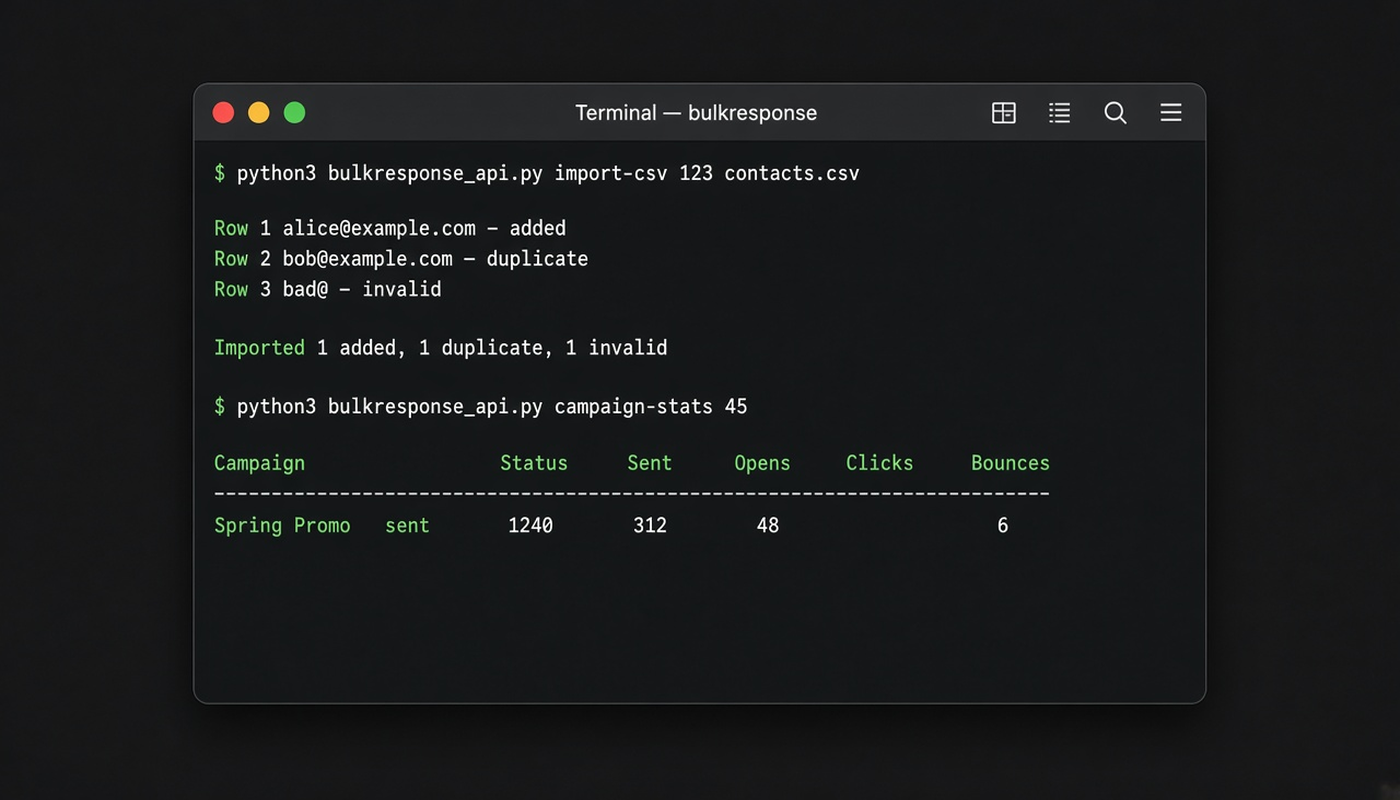
Import a CSV and check results from the command line.
7. The Claude skill: run BulkResponse email marketing by asking Claude
This is the part we’re most excited about. The BulkResponse Claude skill teaches Claude, Anthropic’s AI assistant, how to use your BulkResponse account through the API. Instead of writing code, you describe what you want in plain language, and Claude does the work and reports back.
“Import contacts.csv into my November Leads list, then write a personalised campaign announcing our winter sale with spintax in the subject, and show me how it looks before sending.”
A single request is all it takes. Claude imports, writes, previews and waits for your go-ahead.
The skill includes the Python client, a full API reference, and the rules for using the API correctly: how placeholders and spintax work, how to stay within your rate limit, how autoresponder timing works, and more.
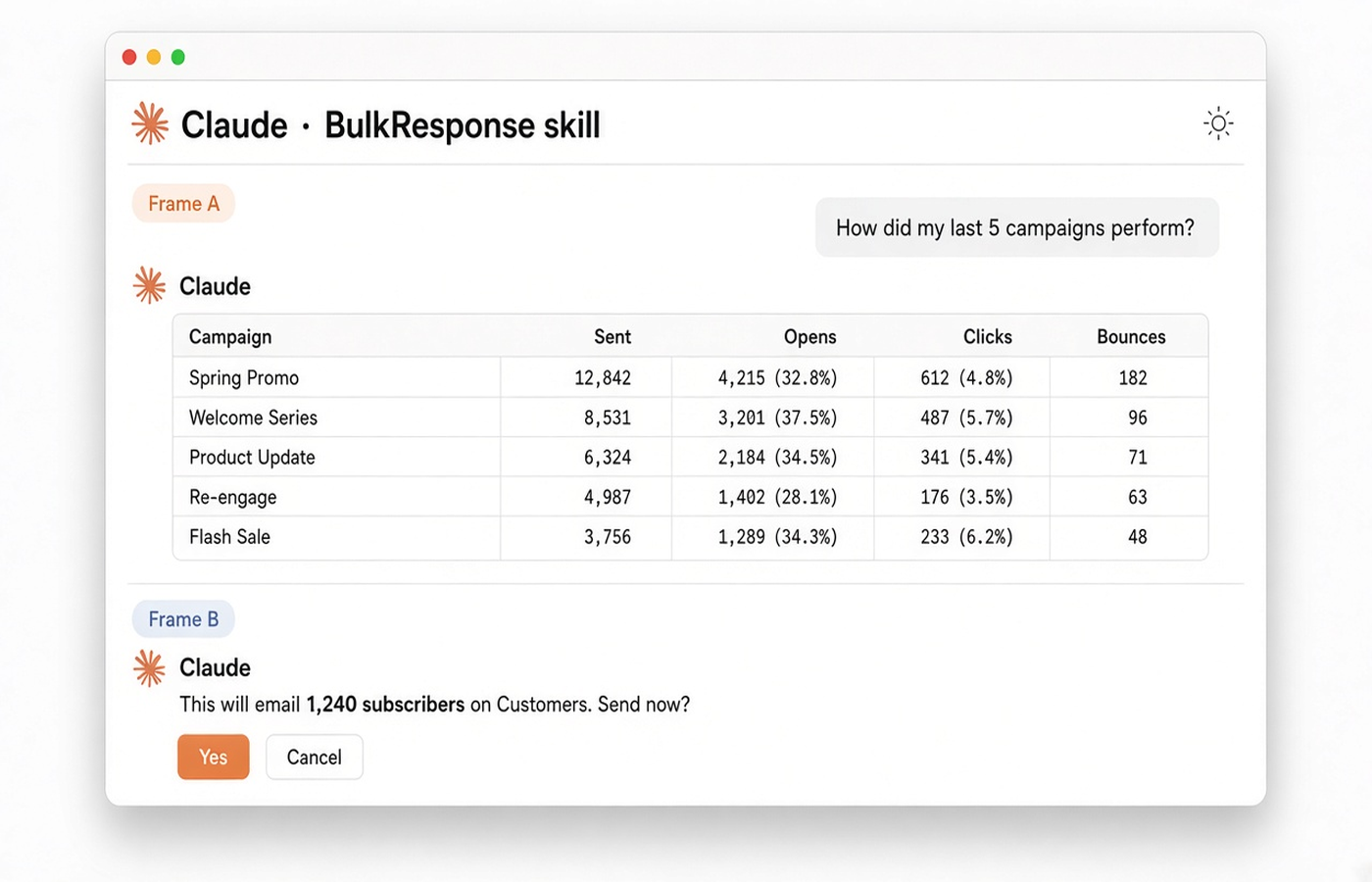
Ask in plain language, and get answers and actions from your real account.
Option A: Claude Code (recommended)
- Download bulkresponse-api-claude-skill.zip from the API docs portal.
- Unzip it into your skills folder:
mkdir -p ~/.claude/skills && unzip bulkresponse-api-claude-skill.zip -d ~/.claude/skills/ - Add your key and base URL to
~/.claude/settings.json:{ "env": { "BULKRESPONSE_API_KEY": "paste-your-key-here", "BULKRESPONSE_API_URL": "https://app.bulkresponse.com/web/api/v1" } } - Restart Claude Code and ask: “Show my BulkResponse account stats.” Your key stays in your own settings file. It’s never typed into a chat.
Option B: Claude.ai or the Claude desktop app
- Go to Settings → Capabilities and make sure code execution is turned on.
- Under Skills, click Upload skill and choose the zip file, without unzipping it.
- Start a chat and ask Claude to do something in BulkResponse. Claude will ask for your API key and base URL. A key pasted into a chat is stored with that chat, so many customers create a key for this purpose and regenerate it afterwards.
What you can ask Claude
👥 Lists & contacts
- “List my lists with their real subscriber counts.”
- “Import contacts.csv into list 123 and tell me which rows were skipped and why.”
- “Move everyone on Trial who isn’t from acme.com to Prospects.”
- “Add these domains to my global suppression list.”
✉️ Campaigns
- “Write a welcome email personalised with first name and city, with three spintax greetings.”
- “Send campaign 226 to Customers through my SMTP channel.”
- “Schedule the newsletter for tomorrow at 9 am.”
- “Pause that send.” / “Resume it.”
🔁 Autoresponders
- “Create a three-step welcome series on Customers: now, after one day, after three days.”
- “Pause my onboarding series.”
📊 Reporting
- “How did my last five campaigns perform?”
- “How are my autoresponders doing?”
- “How many API calls do I have left this hour?”
🛡️ You stay in control
Claude always shows you what it’s about to do, including the campaign, the lists and the number of recipients, and asks for your confirmation before it sends or schedules email, resumes a paused send, turns on autoresponders, or deletes anything. To try it safely, ask Claude to set up a small test list containing only your own addresses first.
8. Good to know: API limits and rules
| Topic | Details |
|---|---|
| Hourly API calls | Every call counts toward an hourly allowance per account: 100 on Small Business plans and 2,000 on High Volume. Contact us if you need more. Every response tells you how many calls you have left. |
| Bulk import | Up to 100 contacts per request, and each request counts as one call. |
| Scheduling | Up to 5 scheduled campaigns per account per day through the API. Sending immediately doesn’t count toward this. |
| Autoresponders | Timed in hours after subscribing. They go to people who join the list after the autoresponder is created. |
| Sender name | Use your own brand. A from name can’t contain “BulkResponse”. |
9. FAQ
Is the API included in my plan?
Yes. The API is available on every BulkResponse web account. Generate your key under Account Settings → API. See BulkResponse pricing for plan details and hourly API allowances.
Which programming languages can I use?
Any language that can make HTTPS requests and read JSON. We provide a ready-made Python client, and every endpoint on the docs portal has a copy-ready curl example.
Do I need to know how to code to use the Claude skill?
No. Install the skill, add your key, and ask Claude in plain language. Claude writes and runs the code for you.
Can Claude send email without my permission?
No. Claude asks for your confirmation before anything that sends email or deletes data, and shows you exactly who will receive it.
What happens if my key leaks?
Click Regenerate API key in Account Settings → API. The old key stops working immediately.
Can I use my own SMTP server?
Yes. Campaign sends can go through BulkResponse delivery, one of your SMTP channels, or a connected mailbox.
Does the API help with deliverability?
The API uses the same sending, suppression and bounce handling as the dashboard, so the same rules apply. For best results, follow our cold email deliverability guide.
10. Start building today
Your account is API-ready.
Generate your key under Account Settings → API, read the docs, and download the Python client or the Claude skill.
We’d love to see what you build. If you have questions, ideas for new endpoints or feedback on the clients, contact our support team. Your feedback shapes the next version of the API.
Happy sending!
The BulkResponse Team